Open topic with navigation
You are here: Getting Started > Advanced Project Creation > Add and Configure IO Terminal
Add and Configure I/O Terminal
For local I/O, refer to Configure Onboard I/O
Add the Standard I/O Coupler
-
In the Project Explorer, right-click the node to open the menu
- Select the Add Kollmorgen Device command
(this option is only enabled when you are not connected to the controller)
- Select the coupler and click Ok
- In the Project Explorer, right-click the coupler node and select the Rename command to change the name
- Click Ok
Add the I/O Slice
- In the Project Explorer, right-click the Coupler node to open the menu
- Select the Add I/O Slice command
- Choose the I/O slice from the list
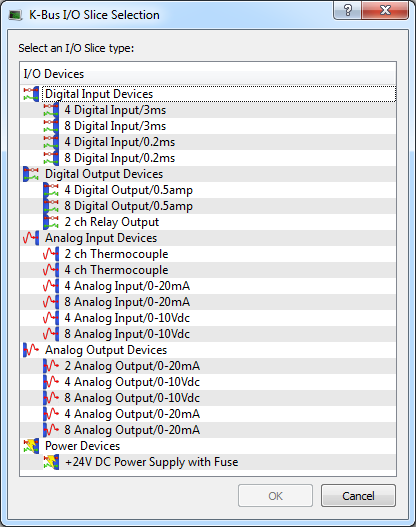
Figure 4-33: Add I/O Slice
- Click OK
Configure the I/O Slice
For more details, refer to Map Input and Output to Variables
 See Also
|
|
Copyright © 2015 Kollmorgen™
|
|

|
Open topic with navigation


